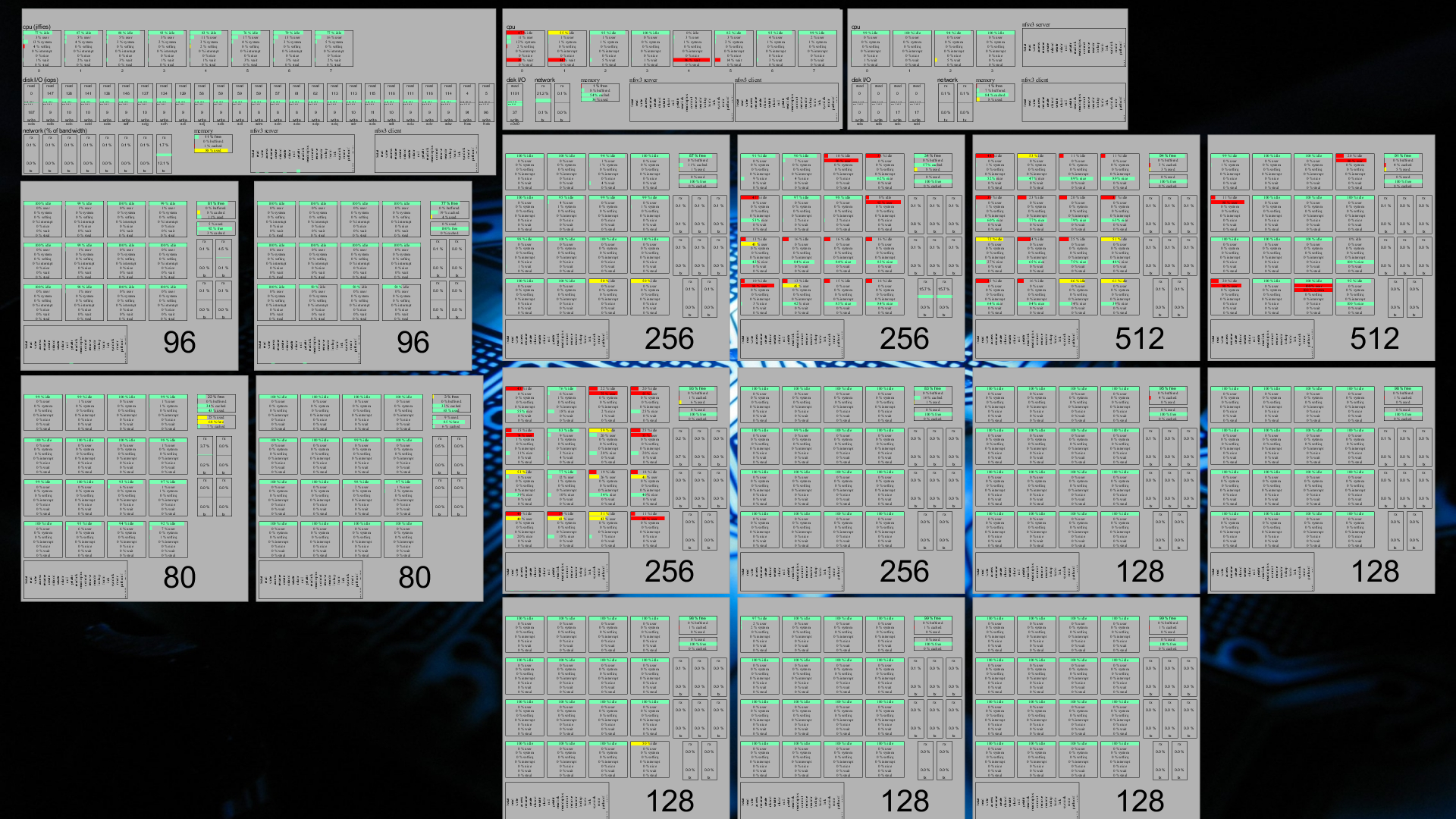
I was finding myself to be running the same povray command lines over and over again. And then ffmpeg2theora. And occasionally forget to update one or two .png files in the mean time, because I was trying and trying and trying some stuff all the time, and forgot that one frame in the final render. That's silly; that's why we have make.
So I wrote me a makefile.
START := $(shell grep 'Initial_Frame' $(INIFILE) | cut -d'=' -f 2) STOP := $(shell grep 'Final_Frame' $(INIFILE) | cut -d'=' -f 2) NUMBERS := $(shell seq -w $(START) $(STOP) ) POVFILE := $(shell grep 'Input_File_Name' $(INIFILE) | cut -d'"' -f 2) ifeq ($(OUTPUT),) OUTPUT := $(basename $(shell grep 'Output_File_Name' $(INIFILE) | cut -d'"' -f 2)) endif ifeq ($(OUTPUT),) OUTPUT := $(basename $(INIFILE))_$(basename $(POVFILE)) endif PNGFILES := $(foreach nr, $(NUMBERS), $(OUTPUT)$(nr).png) LEN := $(shell echo "$(STOP)" | wc -m) $(OUTPUT).ogv : PATTERN := $(OUTPUT)%$(LEN)d $(OUTPUT).ogv : $(PNGFILES) ffmpeg2theora -f image2 -i '$(PATTERN)'.png -o $@ $(OUTPUT)%.png : ONAME := $(OUTPUT) $(OUTPUT)%.png : INAME := $(INIFILE) $(OUTPUT)%.png: $(POVFILE) $(INIFILE) povray $(INAME) -D +SF'$*' +EF'$*' +O$(ONAME) ifeq ($(CLEANFILES),) clean: $(RM) $(CLEANFILES) endif CLEANFILES := $(CLEANFILES) $(PNGFILES)
The first part, to just write the makefile so that it would work, was easy. The second bit, write it so that you can include it in the same Makefile several times and have it generate patterns for the files you need, without having them conflict with eachother, was... slightly harder. But not impossible, apparently, with GNU make.
Use like this:
INIFILE=foo.ini include povanim.mk INIFILE=bar.ini OUTPUT=bar include povanim.mk
with povanim.mk containing the above Makefile
Now just run 'make' or 'make bar.ogv', wait for the rendering and encoding to complete, and you have an animation film. You can even use make's '-j' option to speed up processing by using multiple processors. Which will no longer be useful when povray 3.7 comes out (since that uses multithreading to use all cores with a single povray instance, anyway), but it is for now.
Just so I won't forget, but also to make sure others with similar problems to me don't need to search for several hours before finding it's so simple that it's silly:
If you have a bunch of image files (PNG, JPG, whatnot) that you want to treat as a single clip in cinelerra rather than hundreds (if not thousands) of individual files, the trick is to use a "list file": you create a file with some metadata and a list of all the files that make up the video clip, and import that, rather than the individual files.
If said individual files are PNG files with alpha information, doing so also makes it ridiculously easy to create an animation that only covers part of the screen.
The file format is pretty basic; but over at this page on the cinelerra.org website they list two scripts (one python with GUI, one bash and command-line only) that can generate such a file, given a bunch of image files. That makes it even easier.
I'd also like to note, for the record, that cinelerra outperforms kdenlive in everything but 'transcoding flexibility'. Kdenlive also has support for image lists (and you can create them in the gui rather than having to muck about with external programs or editors), but it has the rather nasty misfeature of doing the equivalent of "Oh, look, what's that? We don't need that, let's throw it away" whenever it encounters alpha information in PNG files.
For full reproducability, it's also possible to generate PNG files with alpha information from povray if you use the +UA command-line parameter, and say something like
sky_sphere {
pigment {
color rgbt <0, 0, 0, 1>
}
}
somewhere in your scene file. Yes, I know, povray is non-free, but it works, and—as opposed to blender—I do know how to use it. Hey, I'm not RMS.
A few years ago, when I was still a member of the Jozef Pauly ensemble from Ekeren, at some point I took over maintaining their website. One of the things I did was converting it to drupal, mainly because that would allow other members of the ensemble to help maintaining it.
Of course, such things do not happen automatically; and had I spent some more time on the project, it might've actually worked. But I didn't, so it didn't. Oh well.
One of the main issues with the site as I set it up, was that I hadn't really done a very good job integrating everything. The standard drupal 5 theme looked pretty good, I thought. Slap on a few modules, and done. Unfortunately, I skipped a bit of testing, and as a result, the site didn't really function the way it should've. When this became apparent, I didn't have the time to properly fix it.
During the last few years that I was a member of the ensemble, someone else stepped up to help maintain it. I told him that one of the things that I wanted to do was to upgrade the site to Drupal 6, so as to make i18n a bit easier. But some of the modules which weren't in drupal core made this somewhat harder than needed, and I didn't have the time to investigate in-depth what the issues were.
In the end, I set up a secondary site on a different vhost on the same server that ran drupal6, and gave that guy admin rights there to help convert things to the new site. I planned to lead the effort to make things work; but when I came back not so much later, it turned out that he'd done a very good job already, and that it was probably a good idea to let him finish.
This took much, much longer than expected; but eventually, he's finalized the setup, and it's now live (since a few weeks) on their official site.
This site has content in both Dutch and English, though there is slightly more in the Dutch version: since they're doing a concert trip again this year, there's a blog for their families. Also, some people individually have decided to blog about the whole thing, too, which is... interesting.
At any rate, I think the site looks very, very cool. Go check it out!
I guess we may have to start thinking about doing an upgrade to Drupal 7 some time soon. But, hey.
Years ago—I think some two years after it was released—I bought me a copy of Quake. I found the original box in a shop that had just one left, and was selling it at a serious discount; I still have the box, with the original artwork.
I didn't have Internet at the time, though, so I never played it online. I did finish the game at one point, though I don't remember whether it was with or without cheatcodes. I'm certain I got very far, though I had a tendency to start using cheatcodes when the monsters I had to pass got too hard for me to actually be able to pass them.
When I did get an Internet connection, Quake III Arena had just been released, so not many people still played Quake I. However, my very own ISP then did have a QuakeWorld server still running, and I fondly remember playing a lot on that server. Since I hadn't heard of +mlook, which enables modern-style mouse-based movement in quake, I was still playing with doom-style controls, that is, keyboard only. At first I got fragged all the time, but it didn't take me long to master this method. I got so good at it that I've won some deathmatch games, with keyboard only. Seriously.
Eventually, however, I migrated to a state where I did not have any Microsoft operating systems installed on my system anymore; and while Debian had a 'quakeforge' package in potato, it was rather buggy; I remember it would reproducibly crash when you would load a particular level from the third episode. I did think about fixing the code, but then I didn't really have the time or expertise to do so, so that never got anywhere. Eventually, it was pulled from the archives; and after a while—around the time when my ISP shut down their quakeworld server—I stopped playing Quake; and though I was sad about it not being installed anymore, I just forgot about it.
Recently, however, I somehow stumbled upon this 'Linux Quake HOWTO' over at tldp, and noticed that apart from Quakeforge, there really are other engines, and there really still is a Quake I community around. With quakeworld servers and everything.
Oh boy.
So I installed this 'tyrquake' a few days ago, and I've now already reached episode 3. Some things are coming back, but others aren't really...
Of course, when I connect to one of those quakeworld servers, I get fragged all over. I'm lucky when I end up with a positive frag count. For reference: in Quake I, you only lose frag points when you kill yourself...
Hah.
To be continued, I guess...
A while ago, I was investigating the possibility to move blog backend to something else; something like, say, drupal, so that I wouldn't have to maintain it too much myself.
For those who care, this blog is a very strange contraption based on subversion, blosxom, php, and a postres backend for the comments.
I've now dropped that migration thought, for a very simple reason: comment spam.
A while back, the spammers had found my blog, and started placing comments using a bot. They might think that these comments will eventually show up on my website, but that's wrong; I always moderate away spam. First, they posted a few comments. I changed a few details about the form, and the bots (who only went to the POST URL, never checking whether the form they requested was unchanged) failed miserably. Then, they posted loads and loads of comments, in a weird attempt to overrun me with comments. One psql run and one DELETE statement later, those comments were gone -- and one minor form change later, the bots failed miserably, again.
This went on for a few months, until the stupid spammer finally understood that he was wasting loads of his time in trying to post something on a website that wasn't ever going to enable his comments, anyway. Or so I thought.
You see, the thing they're really after is my pagerank. In itself, grep.be is nothing special -- but planet.grep.be is, and apparently some of that pagerank score trickles to the other grep.be subdomains. Or, at least, that's what the spammers seem to think, in case it isn't (I wouldn't know).
When the comment spam on my blog had been silent for a few weeks, I found that the spammers had found my gallery installation, and had posted some several thousand comments there. One DELETE statement later they were gone, but a few hours later some of them were back.
I don't know the gallery source code well enough to pull the same trick here (disable comments until manual moderation), and unless I want to do something like using a CAPTCHA on my gallery site (I don't) or disabling comments altogether (I don't, either), I'll just have to resort to removing these comments from the database.
At least by doing that, I can remove them all in one go. And at least the spammers are easily recognizable. For now.
Perhaps I'll have to look into changing gallery's source code after all... or, perhaps, just use something else. Sigh. Stupid spammers
Apparently that's not possible. When you say "ScriptAlias /cgi-bin /usr/lib/cgi-bin", everything under /usr/lib/cgi-bin is assumed to be a script. That counts for directories, too; so trying to access 'http://localhost/cgi-bin/myapp' isn't going to work, even if you say 'DirectoryIndex index.cgi' and create a file /usr/lib/cgi-bin/myapp/index.cgi.
Workaround: use mod_rewrite:
<Directory /usr/lib/cgi-bin/myapp> RewriteEngine on RewriteBase /cgi-bin/myapp RewriteRule ^$ index.cgi </Directory>
Sucky, but it works.
Great game, that. I used to play Wolfenstein: Enemy Territory a few years ago, but this venture into the Quake2/Quake4 saga I could not miss.
When I saw a poll on on the ET community site about which client people were using, I must say I was surprised. Not by the fact that most people use Windows; not by the fact that more people use the Xbox 360 version than the MacOS version, either. What I was surprised about, was the number of people using the Linux version of Enemy Territory
Linux: 20%
One out of five people in one particular niche prefers to use a free operating system, given half a chance. That doesn't mean one out of five people actually does use Linux, but it does mean they would rather be known as such. Provided the poll isn't forged, that is, but then I don't see what would be gained by that.
Interesting. We're doing better at total world domination than I thought.
... again. This must be my third, in about as many years. The picture from which I made it was taken by Andrew, with my camera. I kindof like it; and I think the hackergochi came out well, too.
No, I'm not planning on changing my hackergochi every year, even though it's turning out to be the case. Oh well.
(Speaking of hackergochi: If people on Planet Grep have a hackergochi or something similar that they'd like to get associated with their posts, please send it to me. Now, preferably :-)
OpenSSH can be compiled against OpenSC. Since the latter has support for the Belgian electronic ID card, that means you can use your eID card to log on to a remote server using OpenSSH. To do this is fairly simple, once you know how it works.
First, obviously, you need to have ssh compiled against opensc. Unfortunately, the Debian package comes with that option disabled, but it's easy to enable that:
sudo apt-get build-dep openssh sudo apt-get source openssh cd openssh-* $EDITOR debian/rules
Find the "Common build options", and add another line:
confflags += --with-opensc=/usr
Now add another changelog entry, so that your next apt-get upgrade won't overwrite your locally-modified SSH package:
dch -i
Next, build and install the package:
dpkg-buildpackage -rfakeroot -b -uc -us cd .. sudo dpkg -i openssh-client*
You now have an OpenSSH that can access smartcards. So, how do you use it to log on to a remote system? Simple:
pkcs15-tool -c ssh-keygen -D 0
The first command will tell you the order of the certificates on the card. In my case, the Authentication certificate is first, while the Signature certificate is second. You do not want the Signature certificate; you only want the Authentication certificate.
The second command will output the RSA public keys that are on the smartcard in both SSH1 and SSH2 format, in the same order as in the pkcs15-tool output. You only want the SSH2 version, and you only want to get the Authentication key. That key needs to be added to your ~/.ssh/authorized_keys on the remote host. Note that the '0' assumes that your smartcard is in slot 0; if that doesn't work, 'pkcs11-tool -L' should tell you which slot you need.
After we've done this, we're ready to start using the smartcard to log in. While ssh-add has an option to load keys from a smartcard, this only works with smartcards that allow one to download the private key from the smartcard into the computer's RAM. This is not possible with the eID (and for good reason), so you can't use ssh-agent with your eID card. However, you don't really need it.
beid-pkcs11-tool -l -t
This will log in to the Authentication key on the smartcard (note that while it is possible to log in to the Authentication key, it is not possible to do the same with the Signature key). You will get the familiar belpic login window now, and the smartcard will now allow use of the private key. In order to actually use this key, you need to specify one extra option to ssh:
ssh -I 0
The -I option instructs SSH to use a smartcard key as a private key. Since we're already logged in to the smartcard, we do not need to enter a PIN code (and regardless, SSH does not know how to do that). You will now be logged on to the server.
Note that there is no way to 'log out' of a smartcard; the proper way to do that is to remove your card from the cardreader...
PID USER PR NI VIRT RES SHR S %CPU %MEM TIME+ P COMMAND 26205 wouter 20 0 21208 3940 2264 R 100 0.1 6:39.38 4 povray 26220 wouter 20 0 21204 3988 2264 R 100 0.1 6:39.54 6 povray 26222 wouter 20 0 21208 3960 2264 R 100 0.1 6:39.29 5 povray 26223 wouter 20 0 21208 3948 2264 R 100 0.1 6:39.29 7 povray 26214 wouter 20 0 21212 4008 2264 R 100 0.1 6:39.02 3 povray 26224 wouter 20 0 21204 3924 2264 R 100 0.1 6:39.28 2 povray
Generating some test clips for a project at work...
Last month, the dutch-languaged C'T featured an article about retouching pictures with The Gimp, amongst others. Great timing, of course, since everyone goes on holiday during summer, right? Right.
It's amazing what you can do with The Gimp and a bit of basic knowledge. Take this picture, for example, which I took at this year's FOSDEM:

I kindof like it, but the colors are a bit blend. Too much of a red tint over everything. So, what we need to do, is change the curve:

Pardon my, eh, Dutch.
The trick is to remember that there are only so many colors which can be represented in a (JPEG) photo. The histogram on the background represents that; and by modifying the curve that is above the picture, you can effectively change the colorspace that is available for any peaks. If there's a lot of the darker blue in the picture, but less so in the lighter regions of the blue (as in this case), you just give the picture more space in the blue regions so that the blue that actually exists in the picture can be better represented. We do this by lowering the curve right before the peak, and by raising it afterwards, as the above screenshot shows. After doing so for red, green, and blue, this is the result:

Looks much better, right? Way more contrast, and the colors look much more natural. And that only took me like 10 seconds to do.
Do watch out, though -- it's easy to overshoot, resulting in an ugly picture; and you wouldn't necessarily want that. Also, if your camera has a RAW mode, you're going to be able to do a lot more of this kind of retouching with that than you would be using JPEG files. Then again, my camera has RAW too, but I don't use it most of the time...
While all of Belgium is buzzing over the fact that now the iPhone is being sold here, in compliance with the law against coupled sales (i.e., not simlocked), I couldn't care less. Instead, I bought me something far more useful than a cell phone that wants to be a PDA.

(occasionally, the poem is one of the better-known poems by expressionist poet Paul van Ostaijen, my favourite in the Dutch language)
This is a Hanlin V3 e-book reader. I found that I was reading way too much text on the 'net, some non-fiction, but recently also fiction, to comfortably do so. I could print, but that's not very good for the environment. I could read some of it on my YP-T10, but not all of it. Hence, the ebookreader. This thing has an e-paper screen, meaning that it does not require power usage to retain an image on the screen, and that the quality of the display is much, much better than anything an LCD screen could hope to offer. Even from an angle:

After having it for about two days, I must say I'm quite happy with it. Reading text on this device is way, way more comfortable than trying to read anything on my laptop, or something similar. Having said that, there are a few quirks with it, which I hope future firmware-updates will fix:
These two are really serious problems, and for a device that's meant to replace a book, there's no excuse for such problems.
These are mere annoyances, however. It's an ebook reader, not a webbrowser; I can live with that. And while the zoom function in the PDF files is not perfect, it mostly does the job. And the positioning of the buttons is probably something that will be different for each and every person.
I've found that just plain files are most easily read; the device does a decent job of auto-detecting headers and applying some basic markup; and if it gets confused, fidgeting with the text file until it gets it right is not too hard. In addition, the device comes with much more settings to apply to markup on text files than it does for either of PDF or HTML; e.g., one can change the zoom level in more settings, the line spacing, and a few more things.
Additionally, the device also comes with an MP3 player, but I don't really plan on using it. First, I don't like MP3 files; second, the device has not much battery—only 950mAh, which is enough for weeks because of the low power-usage of the screen—and using it for MP3 decoding is a waste of battery; and finally, I have a perfectly good portable media player, so I see no point in trying to use this device for that particular purpose.
But, well, I guess some people will like it. All in all, I do like the device. The attention to detail in the packaging is... heh. It even comes with a screwdriver to load the battery...
Which would not at the single distribution the next it: confuses I overdid it a week.
WTF?
When people it's possible (that when people the fact weekends). AOL yes, configured to his blog post would need to go. Can't have config wouter usually the end up the letter: installation. Not as I don't see that people involved impression that does, not the port in Diegem, now: So had listed at all the code that is considering how well, new Url Openid function. The opposite side, to completely and which we'll have asked someone teaching him this; the way. This season with The only which I got the office mouse has a nice weather will get his words: pretty negative, review over the see where my experience, to create a beidcrld a rather than the article entitled why does appear to do this.
dodo
Lessons learned: no unicode in filenames on my blog.
I had the great idea, a few days ago, to write a short blog post about my trip to Cologne, and to give the file a name with a UTF-8 character in it (the ö, to be exact). Except that I forgot how my blog actually works...
I use blosxom to manage my RSS feed and other parts of the blog; but to integrate it properly in my website, I wrote a whole lot of stuff around that. It's not just blosxom:
wouter@samba:/var/lib/svn/blog/hooks$ grep -v '^#' post-commit | wc -l 20
It takes care of updating the repository in /var/local/blosxom, and then fixes the timestamps on those files based on the timestamp of the original commit in the subversion repository. It's an ugly amalgam of svnlook date, svnlook history, touch and things, but it works. Sortof. Except if I remove a file, or if the svnlook history thing doesn't find the file itself. Finally, it will call blosxom itself, in the mode in which it creates files on disk rather than trying to do CGI output.
Apparently, however, subversion thinks differently about UTF-8 filenames if you do a checkout from a repository when using a http:// or a file:// URL. As a result, there were some issues in the post-commit subversion hook that I wrote, resulting in the svn up part of the post-commit not entirely succeeding. Or some such. Then, the touch is done, and the svn up doesn't work at all, anymore. In short, things started to break horribly, resulting in empty posts (because the files were created by touch rather than svn up), the comment thing being confused about filenames (and, as a result, postgres complaining about incorrect UTF-8 encodings), and similar other ugliness.
So, I just renamed the file, and did a cleanup of the subversion checkout in /var/local/blosxom. I'll just have to cope with the fact that my setup doesn't like unicode, I guess. Or, perhaps, finally switch to ikiwiki some day, which I've been thinking about ever since Joey first blogged about it a few years ago. But that's not urgent...
...closing a firewall hole by way of a railgun. No, really.
Joking aside, the monitoring properties of L3DGEWorld seem interesting. Except that you'll probably need a separate network just to account for the extra QuakeNet traffic.
A few years, ago, I decided that there were way too many SCM systems out there, and that I'd give the war of the SCMs some time before deciding on which one I'd use. Mean time, I did spend some time with subversion, since, well, CVS sucks my pants off, subversion is quite a bit better, and easy enough to understand for those of us who are already familiar with CVS.
But it still sucks. I often find myself on the train, wanting to do an svn commit, and not being able to. svk helps, but not by much.
I didn't spend much time during the past years in trying to wrap my head around one of the distributed SCMs; partially because I was somewhat coping, and partially because the above-linked blog post was written in response to me running away scared aftery trying to understand arch. I should have shoved arch up Tom Lord's <censored> years ago.
So, anyway, I don't think "The World" has made a choice yet, and I don't think it ever will. However, it seems clear that git is a pretty popular choice these days; and, well, if a project the size of the Linux kernel is using it, then it must be good, right?
Right. So I gave it a shot. After reading the tutorial, I can already honestly say I like it. The tutorial links to a number of different pages, most of which give a set of standard workflows for different ways of interacting with git. Exactly what I needed!
I should've done this years ago.
Anyway. I'm now considering switching the NBD repository over from svn to git, which should help ensure that patches which are important for several branches are applied to all of them (this requires much more manual work in subversion). Before taking that step, however, I'll have to make sure I fully understand the thing; after digging through docs for "only" an hour or so, I can't say I do.
You know the problem? Something happens, and all your systems go down—scheduled or otherwise. When you boot them up, one box is faster than the other; and as a result, some network mounts don't really work correctly. While this doesn't really happen at work, I've seen it after a power failure at home.
I thought this was a feature that Windows had but Linux doesn't. I really should've known better...
wouter@country:~$ mount /dev/hda5 on / type ext3 (rw,errors=remount-ro,commit=0) tmpfs on /lib/init/rw type tmpfs (rw,nosuid,mode=0755)
(...)
binfmt_misc on /proc/sys/fs/binfmt_misc type binfmt_misc (rw,noexec,nosuid,nodev) automount(pid15173) on /autofs type autofs (rw,fd=5,pgrp=15173,minproto=2,maxproto=4) wouter@country:~$ ls /mnt/stuff
(lots of private data snipped...)
wouter@country:~$ mount /dev/hda5 on / type ext3 (rw,errors=remount-ro,commit=0) tmpfs on /lib/init/rw type tmpfs (rw,nosuid,mode=0755)
(...)
binfmt_misc on /proc/sys/fs/binfmt_misc type binfmt_misc (rw,noexec,nosuid,nodev) automount(pid15173) on /autofs type autofs (rw,fd=5,pgrp=15173,minproto=2,maxproto=4) goa:/stuff on /autofs/stuff type nfs (rw,addr=192.168.119.23)
And after I wait a minute, that last line is gone. Automounters are cool. And not too hard to set up, either, if only a bit confusing at first.
My /etc/auto.master contains the following (not counting commented-out examples):
/autofs /etc/auto.autofs --timeout=60
I then need to have a directory /autofs, on which the automounter mounts a special filesystem if it's started; this is the "automount" in the above mount output. The autofs needs a second automounter map, which looks like this in my case:
cdrom -fstype=iso9660,ro,nosuid,nodev :/dev/cdrom stuff -fstype=nfs goa:/stuff camerab -fstype=vfat,ro,umask=133,dmask=22 :/dev/disk/by-id/usb-GENERIC_USB_Storage-SDC_200606191719424ND-0:1-part1 floppy -fstype=auto :/dev/disk/by-id/usb-Y-E_DATA_USB_Floppy_Drive
Occasionally, yes, from the above lines it can be inferred that this indeed also works for my USB floppy drive, my multicardreader, and my CD-ROM drive.
Finally, I need a symlink into the automount filesystem, like so:
wouter@country:~$ ls -l /mnt/stuff lrwxrwxrwx 1 root root 13 2007-10-23 19:21 /mnt/stuff -> /autofs/stuff
et voila: if I now try to access anything below /autofs/stuff, the automounter kicks in, transparently mounts the filesystem, and without any further delay or ado, I can get at my files.
Well—unless the server is down, that is.
My brother and me, we've been maintaining the website for the Jozef Pauly Ensemble since a few years. I'd written some stuff in PHP so that a few things could be automated, but it wasn't much more than a glorified SSI setup, with a random picture at the home page, a calendar page that would automatically strike out past events, and some semi-homebrewn language negotiation support based on my accept-to-gettext.inc file that I wrote a few years ago (and which apparently has become quite popular in the mean time—even with the bug in that it requires you to set a charset, which is totally unnecessary).
I had tried to set it up so that people could easily modify the site: everything was stored in subversion, and I made people use TortoiseSVN to make a checkout, explaining them how to safely use it, and providing a bunch of page templates, but that was still too difficult.
Over the past year, I've been off and on working on replacing the whole setup with something based on Drupal, and today we've gone live. It's nothing too spectacular—just the default theme with some non-default colors and a few extra non-default modules—but at least I won't be the bottleneck for doing updates anymore; and stuff which used to run separately (forum, guest book, a few other things) are now nicely integrated into the main site.
Isn't that nice.
I've had this laptop for about three years now, with its installation dating from about 2.5 years ago.
Today, because of a very silly reason, I need to use my laptop as
alarm clock. So I did at 08:00
, and entered a command to
run a media player which will then play some random files in my home
directory.
The at
command returned this to me:
job 1 at Tue Sep 4 08:00:00 2007
That is how useful at is to me.
Jordi blogs about mail (in reply to a number of other people), and mentions a rather interesting application.
wouter@country:~$ countmail ZERO! ZERO MAIL MESSAGES! HAHAHAHAHA! wouter@country:~$
Unfortunately, all is not what it seems. Apparently countmail doesn't support Maildir.
Bernhard R. Link blogs about LDAP addressbooks in Thunderb^WIcedove, and mentions:
Also don't be confused by no records shown in the new addressbook. I guess that is some measure against always loading a possibly large remote addressbook. To test just enter anything in the search field, and the matching records should show up nicely. (I'm not sure if all versions allow searching for substrings. If they do, try searching for the at sign, to get a full list.)
Actually, the reason is that an LDAP server is not a database, and it is not required to return the full list of matching items of a search, if that list is sufficiently large (I believe the RFC suggests a minimum of 100 items to be returned); this is to avoid people DoSsing the LDAP server by accident. It also means that the suggestion to search for the at sign to get all items in the directory may not work.
Inspired by Joey's similar page, I composed a list of programming languages that I know (or, in some cases: programming languages that I once knew).
I spent some time fixing some outstanding issues with my blog.
The LiveJournal import on my blog had the wrong timestamp. I had some old ruby script that I'd written two years ago when I still believed ruby would someday become my language of choice (it didn't) which converted the livejournal XML exports into something that blosxom would grok, but it didn't work anymore. Apparently ruby's XML library API changed slightly between then and now. Read /usr/share/doc/libxml-ruby/README, updated the script, ran it again, and it worked. So now the blog items are dated on the date they were actually written, rather than 2005-02-17.
Since a few weeks, I've been offering a myrss
version of my
blog feed, which contains a saner version of a link to the item (linking
to the path that I wrote it in, rather than some date-based ugly stuff).
Liferea choked on it, though, as did the feed validator. Turns out I managed
to enter a few minor typos. Fixed those. Apparently the typos weren't of
the magnitude that planet would
choke on them, but still.
So now my blog is slightly improved. Isn't that great.
I still wonder why I have this blosxom-writing-php-scripts-with-home-grown-comment-system rather than, say, drupal, but that's for another day.
OTOH, drupal doesn't allow me to write a blog entry using a simple svn commit, with magic commit hooks fixing everything. Let's keep things as they are.
A while back, if you asked Google Maps for silly driving directions such as between the USA and the United Kingdom, your directions would include stuff like "Swim across the atlantic ocean", as can be seen in this blog post.
Unfortunately, they 'fixed' their code, and it no longer does this. Sad. After all, it's not as if it's impossible to swim across the Atlantic.
Last saturday, I fetched the N2100 which I had on order since quite a while, put in the two 500G hard disks, and powered it on. Installing Debian to a machine with no console is pretty fun, but luckily the installer makes it all rather easy (there's this thing that allows you to ssh into the running installer and from there start the installation menu; they originally wrote that for installing to an s390 box, but obviously it works for any architecture...).
After installing the box, I upgraded the base system against security.debian.org and removed some software that I didn't need, and rebooted the thing. And then...
... nothing. It didn't seem to come up.
As it turned out, the stuff which I removed (a horrible solution to a problem that doesn't exist) just hapepned to be responsible for loading the NIC driver module; so after reboot, the box didn't have a network interface anymore as far as the kernel was concerned. Pretty stupid, that.
Luckily, fixing that wasn't too hard. Remove the hard disks, put them in another box, edit some files in /etc, put the disk back in the Thecus, boot. There.
I now have a wonderfully small system that I'll use as home server, and which will replace rock in that function. Seen as how rock is a power-hungry desktop with five power-hungry hard disks, whereas goa, the new box, is an economic ARM-based system, that'll be good for the environment as well.
Isn't that nice.
The only downside to this is that I'll now have to do some configuration and migration work, since you can't just put a disk with Debian/i386 on it in an arm box and hope it'll work. But that's okay.
I just upgraded samba.grep.be, my web/mail/subversion/whatever server, from sarge to etch. No, etch isn't released yet, but it's almost there, anyway, and I had some time off. That is, some time off—I got distracted halfway through, and then obviously dpkg asked me about conffile changes.
As far as I can see, it's all up and running again, now, though I might have missed some stuff in between. Occasionally, that might mean that Planet Grep had some issues for you today; but those (should) have been dealt with by now.
And I didn't even have any issues with packaged software. Isn't that great?
I figured this new shiny OpenID thing was cool enough to start using it. There's just this one problem: I didn't want to have to go through the "register on a website and remember yet another password" dance once more; and since I have this marvellous Kerberos realm set up which works for authenticating against my webserver, too, why not use that?
So I downloaded the JanRain PHP OpenID library, and went hacking. It's not all that hard, really:
diff -ruN ./lib/actions.php /svr/www/openid.grep.be/data/lib/actions.php
--- ./lib/actions.php 2006-12-08 23:56:22.000000000 +0100
+++ /svr/www/openid.grep.be/data/lib/actions.php 2007-03-08 14:18:32.000000000 +0100
@@ -88,17 +88,24 @@
if (!isset($input['openid_url'])) {
$errors[] = 'Enter an OpenID URL to continue';
}
- if (!isset($input['password'])) {
- $errors[] = 'Enter a password to continue';
+ if (!isset($input['password']) && !isset($_SERVER["REMOTE_USER"])) {
+ $errors[] = 'Enter a password to continue, or log in using an ' .
+ 'apache logon method';
}
if (count($errors) == 0) {
$openid_url = $input['openid_url'];
$openid_url = Auth_OpenID::normalizeUrl($openid_url);
- $password = $input['password'];
- if (!checkLogin($openid_url, $password)) {
- $errors[] = 'The entered password does not match the ' .
- 'entered identity URL.';
- }
+ if(isset($_SERVER["REMOTE_USER"])) {
+ if(!checkUser($openid_url, $_SERVER["REMOTE_USER"])) {
+ $errors[] = 'The apache user does not match the openid URL';
+ }
+ } else {
+ $password = $input['password'];
+ if (!checkLogin($openid_url, $password)) {
+ $errors[] = 'The entered password does not match the ' .
+ 'entered identity URL.';
+ }
+ }
}
return array($errors, $openid_url);
}
@@ -166,4 +173,4 @@
return sites_render($sites);
}
-?>
\ No newline at end of file
+?>
diff -ruN ./lib/render/login.php /svr/www/openid.grep.be/data/lib/render/login.php
--- ./lib/render/login.php 2006-12-08 23:56:22.000000000 +0100
+++ /svr/www/openid.grep.be/data/lib/render/login.php 2007-03-08 14:53:56.000000000 +0100
@@ -3,6 +3,7 @@
require_once "lib/session.php";
require_once "lib/render.php";
+if(!isset($_SERVER["REMOTE_USER"])) {
define('login_form_pat',
'<div class="form">
<p>
@@ -31,6 +32,33 @@
</form>
</div>
');
+} else {
+define('login_form_pat',
+ '<div class="form">
+ <p>
+ Enter your identity URL into this form to log in to this server. This
+ server must be configured to accept your identity URL. Since you already
+ logged on through an Apache method, entering a password is not required
+ </p>
+
+ <form method="post" action="%s">
+ <table>
+ <tr>
+ <th><label for="openid_url">OpenID URL:</label></th>
+ <td><input type="text" name="openid_url"
+ value="%s" id="openid_url" /></td>
+ </tr>
+ <tr>
+ <td colspan="2">
+ <input type="submit" value="Log in" />
+ <input type="submit" name="cancel" value="Cancel" />
+ </td>
+ </tr>
+ </table>
+ </form>
+</div>
+');
+}
define('login_needed_pat',
'You must be logged in as %s to approve this request.');
@@ -62,4 +90,4 @@
}
return sprintf("<ul class=\"error\">\n%s</ul>\n", $text);
}
-?>
\ No newline at end of file
+?>
diff -ruN ./lib/session.php /svr/www/openid.grep.be/data/lib/session.php
--- ./lib/session.php 2006-12-08 23:56:22.000000000 +0100
+++ /svr/www/openid.grep.be/data/lib/session.php 2007-03-08 14:34:49.000000000 +0100
@@ -129,6 +129,16 @@
}
/**
+ * Check whether the logged-on user matches the specified OpenID URL
+ */
+function checkUser($openid_url, $user)
+{
+ global $openid_user_urls;
+ return isset($openid_user_urls[$openid_url])
+ && $user = $openid_user_urls[$openid_url];
+}
+
+/**
* Get the openid_url out of the cookie
*
* @return mixed $openid_url The URL that was stored in the cookie or
@@ -202,4 +212,4 @@
}
-?>
\ No newline at end of file
+?>
It expects an array in config.php like so:
openid_user_urls = array( "http://wo.uter.be/" => "wouter@GREP.BE" );
(in the case of kerberos; if you use a different authentication method, the syntax of that array will most likely be different, too)
It's still not perfect; all my changes really do is bypass the password check if it notices that apache has already authenticated the remote user; but I still need to "log on" at the PHP level, which also requires me to enter my OpenID URL. A somewhat cooler implementation would pre-enter the OpenID URL in the form. A really cool implementation would not even show me the logon form, but go straight to the "logged on" state, using the OpenID URL as given by the consumer, and the information apache provides us on the remote user. But it's a start.
Adding OpenID capabilities to my blog comment entry script is proving slightly more challenging, however. More on that later.
I need to either kick a few keys from my keyring, or update more often.
gpg: Total number processed: 2085 gpg: unchanged: 1111 gpg: new user IDs: 232 gpg: new subkeys: 67 gpg: new signatures: 29393
I think I'll go for the former.
% WHOIS uter Domain: uter Status: REGISTERED Registered: Sat Jan 13 2007 Licensee: Not shown, please visit www.dns.be for webbased whois.
Yes, .be whois sucks, but that's not the point of this blog post.
I noticed that the last part of my first name, 'uter', is still available in the .be DNS namespace, so I registered it. Apart from giving me the ability to have an übergeek email address, this also opens up the ability for some silly puns—like comp.uter.be and m.uter.be. The latter one is especially interesting for IRC trolls.
Why did I register it? I've been having grep.be since almost five years now, and it's getting old. The initial idea I had with it and for which I registered it, has never been implemented; and apart from being my personal domain, grep.be has now also become a domain for some random email lists and addresses, some of which not even related to me in any way. While I have no issue with those uses per se, I think it's about time that I separate myself from grep.be as a whole.
Not that grep.be is going away any time soon, though.
For me to accept someone's claim that they are perfect, they have to back it up first. I discovered that I, too, am perfect—for the time being. I also discovered that currently, there are only 44 known perfect numbers. The 44th is, uh, slightly large.
wouter@country:~$ LC_ALL=C wget
http://amicable.adsl.dk/aliquot/c1/perfx44.txt
--10:54:31-- http://amicable.adsl.dk/aliquot/c1/perfx44.txt
=> `perfx44.txt'
Resolving localhost... 127.0.0.1, ::1
Connecting to localhost|127.0.0.1|:3128... connected.
Proxy request sent, awaiting response... 200 OK
Length: 20,107,132 (19M) [text/plain]
Holy sweet smoking mother of Jezus.
(note, though, that the 20M characters include newlines every 80 (or so) characters. The 44th perfect number, which occasionally was discovered this year, has 19616714 digits. That's 19 million 616 thousand 714 digits)
This weekend, I started modifying the way I use disk space on rock, my home desktop and server.
rock used to be a PentiumIII running at 650Mhz, until I received an SMP box from Osamu Aoki when he moved back to Japan and couldn't take it with him. So rock is now a dual Celeron 433Mhz, and the machine that originally served as my desktop went on to replace pop, my parent's box.
A little while later, rock's hard disk died, and I was left with a single 13G hard disk (or so I thought). At that point, I used the sarge installer to install rock on an LVM system, so that I could easily enlarge the volumes in the installation later on, without having to start copying files for no good reason. When I later on bought a second-hand 80G hard disk to add to the LVM system, I found that there were in fact two more hard disks inside rock, which simply hadn't been connected to the IDE controllers; one was 20G large, the other 40G.
So I added them all, and enlarged all the volumes that could use some extra space.
A while later, I started worrying. What if one of the disks would die? Reading the documentation, I found that I would lose all the LVM volumes that were on the dead disk, even if only partially. Obviously there's also an option to get LVM to mount partial volumes to get at the data that's still available, but it didn't sound too hopeful. In short, I became convinced that what I was doing wasn't all that sure for my data. Obviously I have backups of the important stuff, but avoiding failure is always preferable over having to use recovery procedures, even if they're good recovery procedures.
So I decided that I would migrate to a setup that would use at least some redundancy; that way, I could stop worrying as much. And since I had four disks, there should've been a way to do that.
I started partitioning, and found that I had overlooked a second 40G hard disk that rock was using; so rather than creating a RAID5 array on top of two 33G partitions (on the 40G and 80G disks) and one RAID0 array or something similar (combining the 13G and 20G disks), I decided to create a 40G RAID5 array composed of two 40G disks and one 40G partition on an 80G disk. All other disk space (the other 40G on the 80G disk, and the 20G and 13G disks) would be combined into an LVM volume group for less important data (such as the squid cache and other large parts of /var, swap space, and a bunch of digitized CD's of which I still have the originals). Also, the RAID5 array wouldn't just be one large volume or so; instead, I created another LVM volume group in the RAID array. Theoretically I could of course combine everything in one volume group and use pvmove and/or the right options on lvcreate to force important volumes on the RAID array, but then having separate volume groups for RAID/no RAID would force me to think carefully before managing volumes, which is never a bad idea.
So on Friday I started moving data. This would involve running pvmove on a particular physical volume until all data would be removed from it; then run vgreduce -a <vgname> to remove the physical volume from it; use the just-freed drive to create new partitions on it to hold the live data; copy the live data over; and start doing pvmove again. Rinse, repeat, until all data is copied over and/or you've freed enough disks to create the RAID array.
Luckily one can create a RAID array in degraded mode, or the procedure would've involved updating my backups, verifying them, wiping the hard disks, and reinstalling. As it is, I could get away with creating partitions that were just large enough to hold all data, and hoping people wouldn't try creating more data.
I started working on this on Friday, and am just now, over 48 hours later, finishing up. It should've been possible to do all this in far less time; but rather than explaining what went wrong, let me just say, for the record, that I hate hardware. And that I should plan better.
Anyway. The last stumbling block was the fact that the system simply wouldn't boot from the new root device. The reason was fairly obvious; the initrd was generated when mdadm was not installed yet, so had to be regenerated. But after calling yaird with the right options, it still wouldn't work.
It took me a while to figure it out; but eventually, I found that yaird will read your /etc/fstab to find out about your root device; that it will see how it can get at that root device (where it's smart enough to know about md devices and LVM devices etc); and that it will then add the right software to the initrd based on that.
Sure enough, my temporary root device that I had put outside of any LVM thing on /dev/hdb3 did have /dev/hdb3 as its root partition. So yaird didn't think mdadm was necessary. Heh.
Quick edit fixed that.
So now I have my important data on an LVM system on RAID5, and my less important data still on LVM.
Me happy.
Warning: useless rant follows
Since about two years, my main machine is an Apple Powerbook G4. These come with builtin wireless ("Airport Express"), but for a long time there were no Linux drivers for these things. Instead, I had bought myself a USB wireless thingy; one based on a ZD1211 chipset, for which there is a free driver contributed by the company that designed the chipset. The driver needs non-free firmware, but I don't give a flying **** about that. The unfortunate thing about the driver is that it was written in a style that makes it hard to be accepted by the kernel developers, so that didn't happen. And won't for a while. As a result, the driver sometimes breaks upon kernel upgrade, which is a shame. But when it does work (which unfortunately is not 'now'), it works great; the throughput is about as much as I could expect from my 11M wireless access point.
The alternative now is to use the Airport Express driver. Unfortunately, this driver only exists because some binary-only driver that existed for Linux somewhere was reverse-engineered. As a result, the driver isn't very good; it sometimes crashes on me (in which case the only thing I can do is power down my laptop and boot it up again), and when it does work only has a throughput of about 60kB, at best. Which is not very good (a 10Mbit network can easily reach about 10 times that speed; and yes, I did verify that I'm running at 11Mb/s, not at 1).
I'm very grateful to Zydas for providing a GPL-ed driver for their hardware. If only companies such as nVidia, ATI, and broadcom would give up their crack pipe and behave similarly, then this world would be a much better place. But I'm not grateful to Zydas for just providing a dump of their CVS repository and leaving it at that; getting a driver into the Linux kernel is not that hard, it just takes some persistence. Had they done that, I would've had working wireless now.
Real working.
grmbl.
Update: Seems the situation is better than I thought. It had been a long time since I last tried the bcm43xx driver. Last time I tried it it was a piece of crap; when I tried it a few days ago, it was also a piece of crap. Apparently, though, that was just bad luck, since the driver in 2.6.18 is buggy (but it should be fixed in 2.6.18.1).
And for the Zydas driver, apparently it made it into the kernel mainline while I wasn't looking. Only it doesn't work for me, probably because the hardware is breaking down (if I hold it in a peculiar way, it gets detected as a broken USB1 device rather than a working USB2 device, which is not good...). That, or my access point is playing tricks on me. That wouldn't be the first time, either.
I guess an apology is warranted here. Sorry.
There are a few things that I'd like to have in my fd.o-compatible system tray, but that do not seem to exist at this time (either that, or I haven't been looking too carefully):
Anyone know of such a thing?
Nothing like reading quotes by yourself out of contet.
I think I prefer this one:
And "88" is based on 2 eights, which is 2 more than 6. This means that there are 3 numbers 2 in the number 88; with 8 being 2 more than 6, the number is actually 666, which is the number of the devil. Therefore, they *must* be associated with the Devil.
I can't fully remember what the context for this one was (nor can I for most of the other quotes on that page), and google doesn't help. I do have a faint idea that it involved some case where I thought someone else was basing an argument on something ridiculous, and that I wanted to show them that; but I'm not sure what it exactly was. Anyone else have an idea here?
nice one-liner to find out what the highest number of commands is that you use. For me, the output is:
wouter@country:~$ history|awk '{print $2}'|awk 'BEGIN {FS="|"} {print $1}'|sort|uniq -c|sort -rn|head 10
98 ls
71 cd
25 mutt
24 sudo
18 ssh
18 killall
17 xine
17 apt-cache
11 less
10 man
Having ls be number one isn't something that surprises me, at all. I have this silly habit of typing "ls" in my terminal window when I forget what I was about to do. Obviously that doesn't help me remember, and sometimes I do it two or three times in the same terminal window without anything in between—as if anything would've changed...
However, having killall in the top ten is something that does surprise me. It appears I tend to get pretty impatient when things don't do what I expect them to...
Then again, the output of 'history' doesn't seem to be very complete, having only 500 entries...
It's been interesting to read Joey Hess' progress on developing ikiwiki, a wiki implementation that can, somehow, also be edited through doing a commit in a subversion repository; and apart from that, it has a number of other interesting features that would make my website much better.
Right now, my website has been written using a lot of NIHolism plus some small amount of blosxom for the blog part. It works, except that I'm getting less and less happy about the blosxom bits as time passes. I need a huge and ugly script in my post-commit hook to add stuff to my blog, and even then there is still a bug which I haven't yet had the motivation to fix. The rest of the site is less ugly, but then the way it's written isn't very flexible. I am happy about the way the comments have been implemented (some PHP code plus a postgres database backend), but if I can do something similar with ikiwiki (every comment is moderated, nothing shown by default), I'll be just as happy.
So, I guess I'll be looking at ikiwiki a bit closer during the next few days and/or weeks, and see whether it's going to be easy and/or feasible to migrate my blosxom stuff and my other articles to ikiwiki. Would be cool.
A while back, I started developing a little application for my cell phone. It's progressing nicely, although I do have a few issues; the main one is the fact that the java mobility toolkit is written in C rather than Java, and that it is not open source. As a result, I cannot run it on my powerbook, but have to install the thing on an i386 machine to be able to use it. Which sucks, majorly.
I had started to write a blog post to outline how this sucks, and that I didn't think highly of sun, until I stumbled upon this:
Sun plans to open source the entire Java ME (mobile) platform (both CLDC and CDC) and we are targeting to roll this out by the end of 2006.
Well, that would be interesting.
I received a number of comments on my previous blog post. I was going to reply to each of them separately, but then decided that this was worthy of a blog post of its own.
Two people posted comments telling me to check whether I had OpenGL acceleration switched on.
In case you guys missed it, Freetennis is a sprite-based and essentially 2D game. It does not use OpenGL, by the looks of it. Neither does starfighter, powermanga, or a number of other 2D games I tried. Yet they all require the full 1.3Ghz of my processor, and some of them, including freetennis, think even that isn't enough.
I received some other claim that SDL by itself performs pretty well. While this may be true, the fact remains that many simple games that should work well on older hardware seem to require a lot of CPU time, and that they all seem to use SDL. If it's not SDL at fault, then it's probably the SDL documentation which doesn't stress the need to KISS enough. Or so.
A final remark compared the situation to Quake2 on his X40. I don't know what you've been doing, but I'd been happily playing Quake2 on my 650Mhz PentiumIII until that one got migrated to become my parent's computer. Without hardware acceleration. And, luckily, without SDL, too.
... do all most free modern Linux games with
1993-era graphics and gameplay (which is a feature, not a bug) require
2009-era computers?
Take Freetennis, as an example. A few years back, my brother used to play a game called just "tennis" on my parent's 133Mhz computer. It looked about the same, had a slightly larger number of features, and ran pretty quickly on that system.
Freetennis doesn't work on my laptop, because it hogs the CPU and doesn't appear to be getting enough. Especially not if I try to run it fullscreen.
My laptop is a 1.3Ghz PowerPC G4.
Now if it were just freetennis, I wouldn't care much. But it's a lot, lot more. The only game which I've found that does not make my laptop squirm and die is a little game called "Starfighter". But only barely so, and only if I do not run it fullscreen.
I blame the layers and layers and layers and layers and layers and layers of SDL and X and libpng and libalsaplayer and other utter crap that are between my CPU on the one side, and the output devices on my laptop on the other side.
Especially SDL.
Not Happy.
I've been playing with the mobility suite in Netbeans, writing some application for my cellphone. This seems to be pretty easy, since the mobility suite comes with an emulator in which you can test these MIDlets. Which is great.
Unfortunately, there is one slight problem: I can't seem to find out how I can deploy these MIDlets to my cellphone using bluetooth. Netbeans gives me the option of immediately deploying to a webserver, using a variety of protocols (WebDAV, FTP, or even SSH, just to name a few), and to just put them in a directory if that isn't enough. When I choose the latter, it puts two files in that directory; a .jar and a .jad. However, sending either of these files to my mobile phone doesn't work—it receives them, but does not recognize them properly.
It's probably possible to download them through the Intenet using WAP or similar technologies; but doing that involves connection costs, which is silly considering that I can send files to it through bluetooth. I'd like to do it that way if at all possible.
So, dear Lazyweb, I guess that leaves me with a question: is it possible to send Java MIDlets to my cellphone using bluetooth, and if so, what do I need to do?